
Gamification campaigns add an interactive layer to customer loyalty by giving people something to play as well as something to earn. Instead of presenting every promotion as a conventional discount, a business can use a game to reveal a reward and make participation feel more engaging.
Letstamp's gamification feature supports three game types: Lucky Wheel, Scratch Card and Box Opening. Businesses can configure how often customers may play, decide how long the campaign remains available and provide winnings as Reward Points or a Reward Card.
What makes a good gamification campaign?
A useful gamification campaign connects four decisions: why the customer should play, which game experience fits that objective, how frequently the game can be played and what reward the customer can win.
Treat the game as part of your loyalty strategy rather than as a standalone animation. The reward and its validity period should give customers a clear reason to continue interacting with your business.
Start with the campaign goal, not the game
It can be tempting to begin by choosing a Lucky Wheel or Scratch Card, but the campaign objective should come first. Decide what behavior you want the campaign to support and then build the game settings around that goal.
For example, a short promotional campaign may use a more frequent play schedule, while an ongoing loyalty mechanic may work better with a weekly or monthly frequency. A one-time game can also be useful when you want each participating customer to receive a single opportunity to play.
The important point is consistency: campaign message, play frequency, reward and reward expiry should work together rather than being chosen independently.
How to create a gamification campaign in Letstamp
A Letstamp game campaign includes general campaign information, appearance settings, game settings and reward settings. Planning these elements in order makes it easier to create a campaign that customers can understand quickly.
1. Define the campaign
Add a clear campaign name, short description and detailed description, then decide whether the campaign is unlimited or ends on a specified date.
2. Configure the appearance
Choose a campaign icon and icon color that make the game recognizable within the customer experience.
3. Choose the game settings
Write the homepage button text, select Box Opening, Lucky Wheel or Scratch Card, and define how frequently customers can play.
4. Configure the reward
Add the reward title and description, choose Reward Points or a Reward Card and set an expiration period when required.
Choose the right game type for the experience
Letstamp provides three game formats. They share the same underlying campaign settings, but each creates a different style of interaction for the customer.
Lucky Wheel
A familiar prize-wheel experience that works well when you want customers to see several possible outcomes before the result is revealed.
Scratch Card
The customer actively reveals the result, making it suitable when you want the reward discovery itself to be part of the interaction.
Box Opening
A surprise-oriented format that can fit gift-themed campaigns and promotions built around discovering a hidden reward.
Make the reward reveal part of the campaign
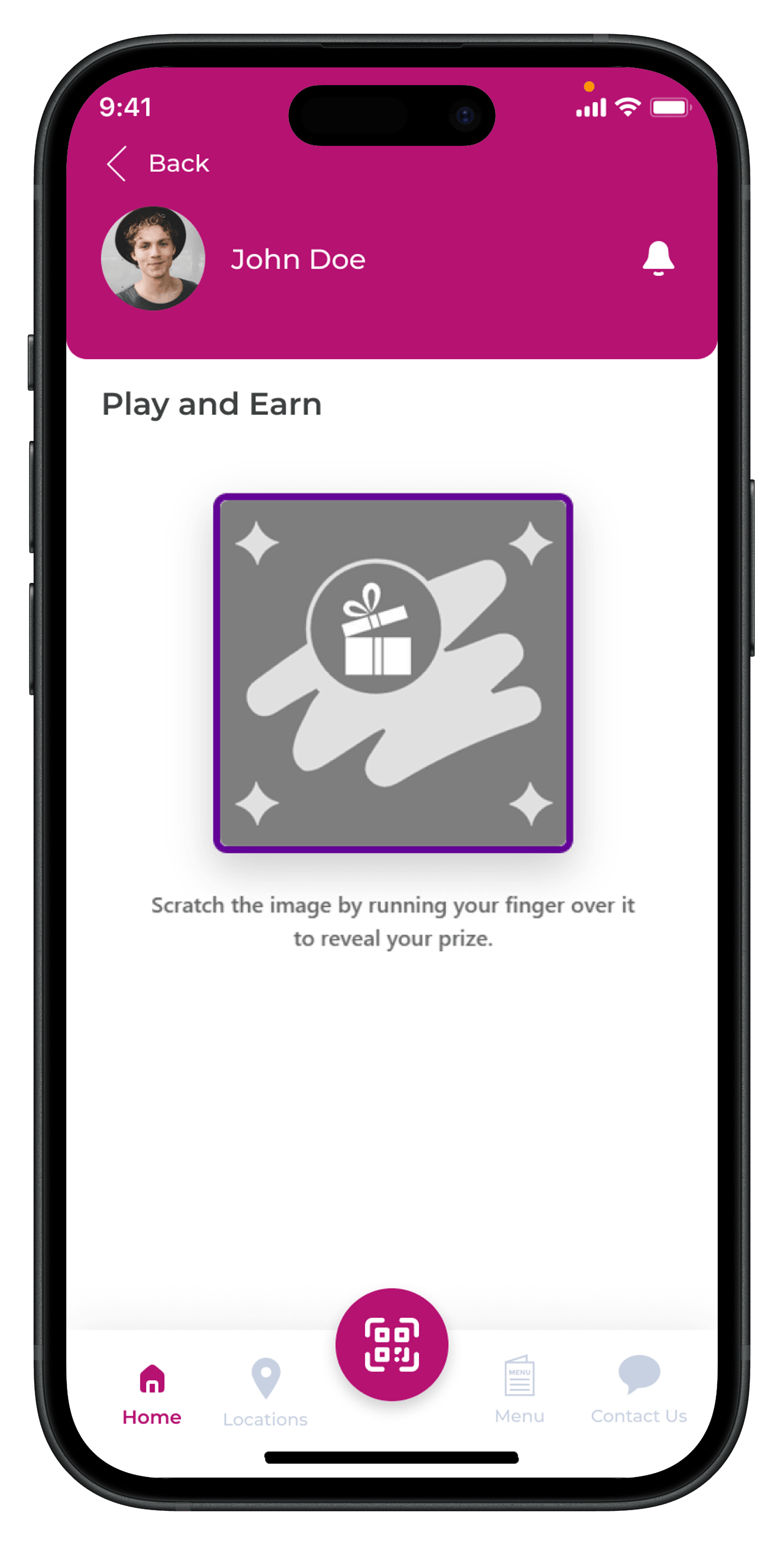
A Scratch Card turns reward discovery into an action. Instead of simply displaying a promotional message, the customer interacts with the game and reveals the outcome.
The campaign still needs a straightforward proposition around that experience. Homepage button text such as “Win a Surprise,” “Win Now” or “Try Your Luck” can tell customers what action to take before they enter the game.
How often should customers be allowed to play?
Game play frequency determines how often a customer can replay the campaign. Letstamp supports one-time, hourly, daily, weekly and monthly frequencies.
Frequency should match the value of the reward and the purpose of the campaign. A campaign intended to create recurring engagement can use a repeat schedule, while a promotion designed as a single customer touchpoint can use the one-time option.
| Play Frequency | What It Controls | Example Campaign Idea |
|---|---|---|
| One-Time | Each customer can play once. | One-time surprise reward campaign. |
| Hourly | The game can be replayed after the hourly interval. | Short, high-frequency promotional activity. |
| Daily | Customers can return to play on a daily basis. | Daily reward discovery campaign. |
| Weekly | Participation repeats weekly. | Weekly loyalty game or recurring promotion. |
| Monthly | Customers can participate on a monthly cycle. | Monthly member reward campaign. |
Reward Points or Reward Card: which reward should you use?
The game is only one half of the campaign. The reward determines what happens after the result is revealed. Letstamp games can provide either Reward Points or a Reward Card.
If your loyalty model already uses Loyalty Points and Cashback , Reward Points can connect the game to the customer's existing points balance. A Reward Card is more appropriate when the prize needs to represent a defined reward such as a free item, discount or other specific benefit.
| Reward Type | How It Works | Branch Selection |
|---|---|---|
| Reward Points | The configured points amount is provided as the game reward. | Not available for Reward Points. |
| Reward Card | A defined reward with its own title, description and expiration setting is provided. | Earning and redeemable branches can be selected. |
Set an expiration period that matches the campaign
Letstamp lets you define how long a game reward remains usable after it is earned. If the reward should not expire, the expiration setting can be unlimited.
This setting is separate from the overall campaign expiration. The campaign itself can be unlimited until manually stopped or can have a specified end date. The reward expiration setting determines how long an earned reward remains available to the customer.
Connect the game to a future customer action
Consider what should happen after the customer wins. For example, a game can award a Reward Card or Reward Points that the customer can use later, turning the game from a momentary interaction into part of the broader loyalty journey.
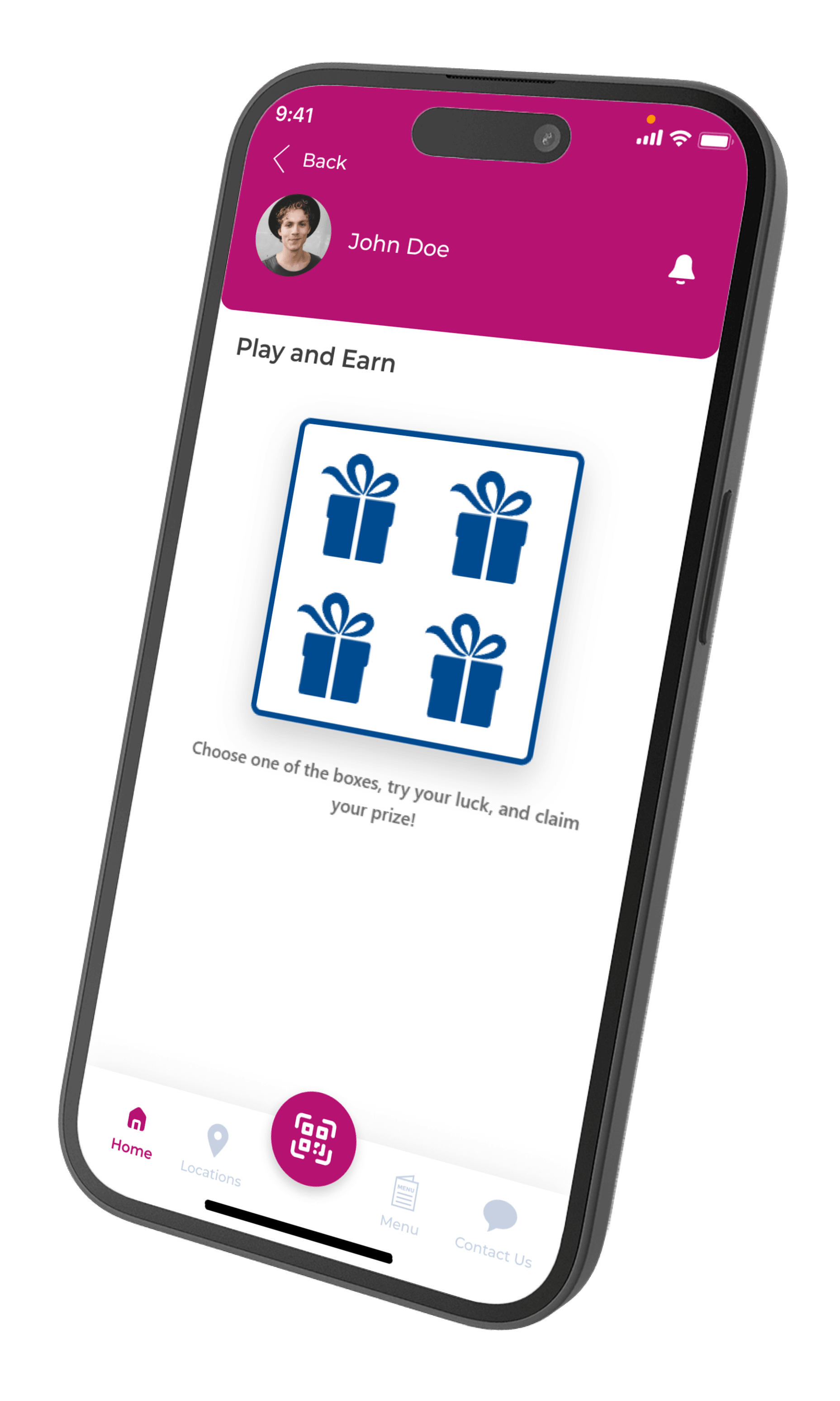
Use Box Opening for a simple surprise-reward experience
Box Opening gives customers a different presentation from a wheel or scratch mechanic while using the same core campaign controls for frequency and rewards.
This format can be useful when the campaign concept is built around opening, discovering or receiving a surprise. Keep the homepage button text and campaign description aligned with that idea so the experience feels consistent from entry to reward.
Gamification campaign ideas you can adapt
The best campaign idea depends on the business, reward economics and customer behavior. The examples below are starting points that can be implemented using Letstamp's available game types and frequency settings.
Daily Scratch Reward
Use a daily Scratch Card and let customers return to reveal a new game result each day.
Weekly Lucky Wheel
Set the Lucky Wheel to weekly play frequency and build a recurring game touchpoint for customers.
One-Time Surprise Box
Give each customer one opportunity to open a box and discover a promotional reward.
Limited-Time Game
Set a campaign end date and combine it with the game type and play frequency that best fit the promotion.
Write clear campaign and homepage messages
A game may be visually engaging, but customers still need to know why they should tap it. Letstamp includes a Homepage Button Text setting, with examples such as “Win a Discount,” “Win a Surprise,” “Win Now” and “Try Your Luck.”
Keep the wording short and action-oriented. The detailed campaign description can then explain important conditions such as how often the game can be played, how long the campaign runs and how long an earned reward remains valid.
How to use gamification with a broader loyalty strategy
Gamification does not need to replace the rest of your loyalty program. It can sit alongside Digital Stamp Cards and Reward Points to give customers different reasons to interact with the same loyalty experience.
You can also use Customer Segmentation to understand different customer behavior groups and Push Notifications to communicate with selected customers as part of your wider campaign and retention strategy.
Pre-launch gamification campaign checklist
Review the complete campaign before making it available to customers. A consistent setup reduces confusion and helps ensure that the game, reward and campaign conditions tell the same story.
- Confirm the campaign name, short description and detailed description.
- Check whether the campaign should be unlimited or have an end date.
- Confirm campaign visibility.
- Review the campaign icon and icon color.
- Check the homepage button text.
- Confirm Lucky Wheel, Scratch Card or Box Opening as the game type.
- Verify one-time, hourly, daily, weekly or monthly play frequency.
- Review the reward title and reward description.
- Confirm Reward Points or Reward Card as the reward type.
- Set the reward expiration period or choose unlimited.
- If using a Reward Card, review earning and redeemable branch selections.